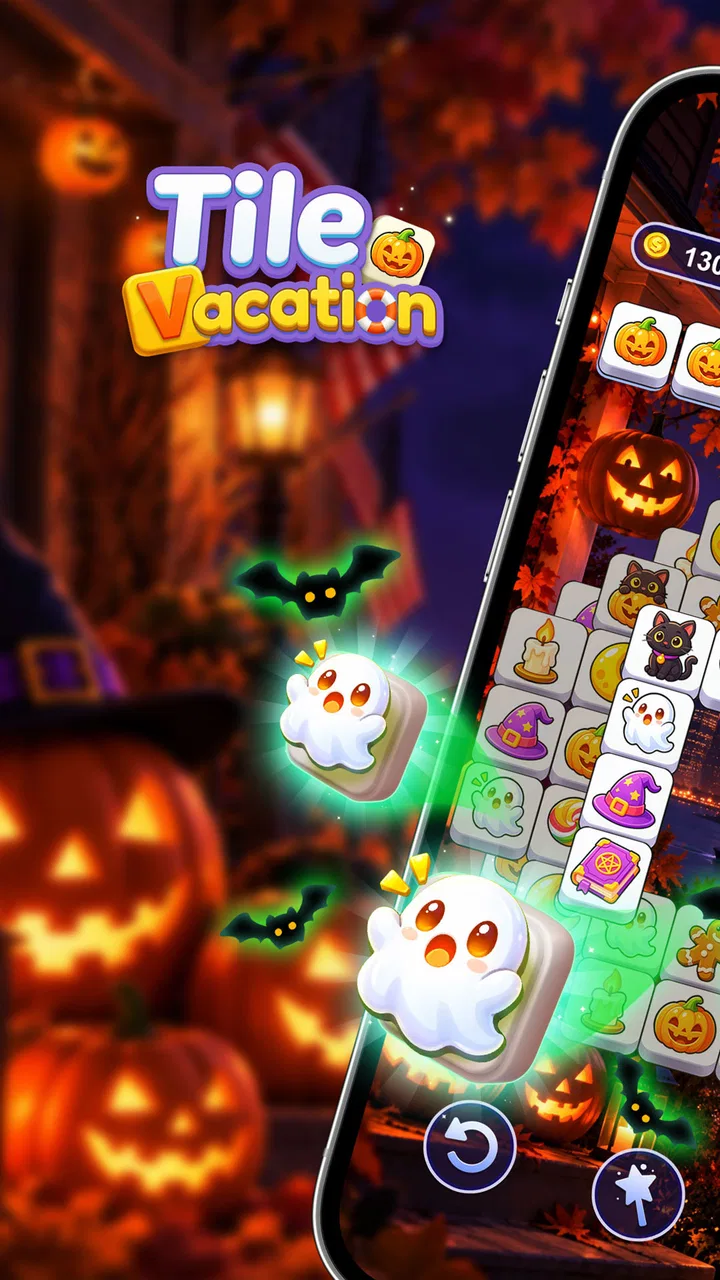
Tile Vacation - Triple Match
- 4.9
- Rating
- 5.00M
- Installs
- Free
- Price
 Analysis by App-foxy
I found Tile Vacation - Triple Match easy to understand within seconds, but not so simple that every session feels identical. It is a casual matching game from VisionStudio(HK), built around clearing groups of matching tiles while keeping the board manageable. The presentation aims for a calm holiday mood, and that makes it a natural fit for short breaks rather than intense, competitive play.
My first impression was that the game works best when I treat it as a small concentration exercise. I am not rushing through a complicated story or learning a large set of controls. I am scanning the available tiles, deciding which matching pieces to expose, and trying not to fill the temporary holding area with choices that block one another. That basic rhythm is approachable, yet a careless tap can turn a comfortable board into a recovery problem.
The game is free to start and carries an Everyone age rating, so it is suitable for a broad audience. It has reached over five million installs and holds a 4.9 average from around two hundred five thousand ratings, which suggests that its relaxed matching format has found a substantial audience. I would still look beyond the score, because the experience depends heavily on whether you enjoy repeating visual sorting tasks and how comfortable you are with optional purchases.
You May Also Like

 Google Keep - Notes and lists
Google Keep’s Quiet Growth Shows the Appeal of Simpler Notes
As mobile work gets busier, Google Keep keeps winning a simple contest: capture a thought quickly, find it later, and get on with the day.

 Blood Strike: 2.5 Anniversary
Blood Strike’s Loadouts Turn Every Drop Into a Tactical Gamble
A close look at Blood Strike’s custom loadouts: how fast access to signature weapons reshapes its battle royale rhythm, rewards preparation, and narrows the gap between fights.

 Pandora - Music & Podcasts
Pandora’s Music Is Easy to Start, but Harder to Recover
Pandora’s strength is its low-effort path from a seed to a station. Its weak spot is how much confidence it asks you to place in connection, setup, and quiet recovery.

 8 Ball Pool
 Is Built on Rivalries, Rematches, and Routine
A close look at the rivalries, rematches, shared routines, and unanswered safety questions that turn a quick pool match into a persistent mobile community.

 Samsung Music
’s Quiet Strength Is Playing What You Already Own
Its reach comes less from spectacle than from dependable access to a personal library. That simplicity is both the app’s strongest retention engine and its ceiling.

 AccuWeather: Weather Radar
AccuWeather Review: A Quick, Clear Forecast for Everyday Decisions
For everyday plans, the best forecast is the one you can understand quickly. AccuWeather makes rain timing, radar, and local conditions easy to act on, with a few trade-offs.
More From Our News Desk



What the first sessions feel like
The central appeal is the clean, familiar match-three structure. Instead of asking me to memorize rules or manage a complicated character, the game puts the focus on recognizing sets of identical tiles and clearing them. That makes it suitable for a quick session while waiting for an appointment, winding down before bed, or taking a screen break that still gives my attention something to do.
The holiday framing helps distinguish it from a completely plain tile board. I get the sense of moving through a light vacation-themed activity rather than working through a dry logic worksheet. It is a small difference, but it matters during longer sessions because atmosphere can determine whether a puzzle feels inviting or repetitive.
One useful way to play is to slow down before every tap. I look for the third tile in a possible set, then check what removing it will uncover. A match that is available immediately is not always the best move if it exposes a more useful tile or leaves several unmatched pieces in the holding area. This is where the game becomes more thoughtful than its casual label might suggest.
That said, players who want deep strategy, competitive rankings, or a strong narrative may find the format limited. The pleasure comes from tidy clears and gradual progress, not from building a long-term character or mastering a large rule system. I would recommend it to someone who likes visual organization and gentle puzzle pressure, but not to someone looking for the complexity of a traditional strategy game.
Where I would expect players to get stuck
The most common difficulty is not understanding the objective; it is losing track of what has already been made available. When several similar tiles sit close together, I can tap too quickly and use a useful space before checking the rest of the board. The safer habit is to scan from the top and sides first, then make a match only after checking which covered tiles may become accessible.
A second sticking point is treating every visible match as equally valuable. In practice, a match can have different consequences depending on the tiles underneath it. I prefer clearing sets that open a blocked area or reduce clutter around the board. Saving a harmless-looking pair for later can be sensible when the third tile is buried and the holding area is already becoming crowded.
This is also where the relaxing presentation can mislead me. The game feels gentle, but the board still rewards planning. If I play while distracted, I am more likely to create a chain of awkward single tiles. For that reason, I would not describe it as purely passive entertainment. It is better understood as a low-pressure focus game.
When a level starts to feel impossible, I first review my last few choices rather than assuming the game has malfunctioned. A failed board often comes from taking a convenient match too early, overlooking a tile at the edge, or filling the available spaces with pieces that do not yet have partners. Restarting with a slower opening usually tells me whether the problem was the board or my approach.
Simple setup checks before blaming the game
Because this is a mobile game, the first practical step is making sure the installation has completed properly and that the device meets the stated minimum of Android 6.0. On an older phone, the game may still open while other background activity makes taps feel delayed. Closing unused apps and reopening the game is a sensible first check before changing anything more complicated.
I also recommend checking whether the device has enough free storage for normal app operation and whether the screen is registering touches accurately. A missed tap can look like a puzzle mistake, especially when the board is busy. Cleaning the screen, removing a thick or damaged protector from the troubleshooting process, and testing a few deliberate taps elsewhere can separate a touch problem from a gameplay decision.
If the game appears frozen during loading, I would close it completely and launch it again rather than repeatedly tapping the screen. Repeated taps can make it harder to tell whether the interface is responding slowly or whether several inputs were queued. If the problem continues, restarting the phone is a reasonable general step. These checks are simple, but they prevent a lot of unnecessary frustration.
Players should also check the device volume and notification settings before deciding that the presentation is unusually quiet. Casual games are often used in public places, so I personally prefer testing the first session with the sound at a comfortable level and then adjusting it for the setting. The game remains playable as a visual puzzle, but the surrounding mood is more enjoyable when the phone is configured the way I expect.
The game is free, but in-app purchases range from $0.99 to $28.99 per item. I would review purchase controls before handing the device to a child or letting someone else play on my account. The Everyone rating describes the intended age suitability, while purchase settings are still a separate household responsibility. That distinction is worth handling before a relaxed session turns into an unwanted account issue.
How I recover a poor board or interrupted session
My preferred recovery method is to pause mentally, identify the tiles that are already blocking the most space, and prioritize a clean set that reduces that pressure. I avoid chasing a match simply because it is the first one I notice. The goal is to restore options, not merely to remove three pieces.
If I have made several questionable moves, I do not keep tapping in the hope that the board will somehow repair itself. Continuing can make the holding area more crowded and reduce the number of useful choices. Starting again is often faster than forcing a position that no longer offers a sensible route. This is especially true when I am playing during a short break and want a satisfying result rather than a long struggle.
An interrupted session deserves a slightly different approach. When I return, I spend a few seconds rebuilding my visual map of the board instead of immediately selecting a tile. I check which groups are open, which pieces are partially hidden, and where the spare spaces are. That small reset helps prevent the common mistake of continuing with the same plan even though I have forgotten the board’s earlier structure.
I also find it helpful to separate observation from action. First I scan for complete groups, then I note the tiles that could become complete after one clear, and only then do I tap. This two-stage workflow is more reliable than moving continuously. It is a particularly useful habit for anyone who tends to play while watching television or listening to a podcast.
When progress feels slower than expected, I would avoid assuming that a purchase is necessary. The core matching skill improves more from recognizing safe clears and preserving open spaces than from pressing every available option. Optional items may be convenient for some players, but the basic decision-making remains the part of the game I can control without spending money.
When the app may not be the cause of the problem
Not every delay, missed input, or failed session points to a defect in Tile Vacation - Triple Match. A phone under heavy load can make any touch-based game feel less responsive. A weak connection may affect parts of the app that rely on online communication, while the board itself may still be waiting for the device or service to respond. I would test the game again after closing other demanding apps and moving to a more stable connection if needed.
Battery-saving modes can also change how a phone handles background activity and performance. If the game behaves differently when the battery is low, I would compare a normal session with one after charging the device. This is not a reason to disable safety features permanently; it is simply a useful way to identify whether the phone’s power management is influencing the experience.
Notifications create another easy-to-miss source of confusion. A banner appearing over the screen can interrupt concentration or make a tap land differently from where I intended. For a focused session, I prefer using a quiet period or temporarily reducing interruptions through the phone’s normal settings. That improves the puzzle experience without requiring any change inside the game.
If an update is offered, keeping the app current is sensible, especially when an issue appears after a device or operating-system change. The current version is 1.43.1, and I would check that the installed version matches the one available through the official app store before spending time on more advanced troubleshooting. I would also avoid unofficial downloads, since they add risk without improving the actual matching experience.
The developer is VisionStudio(HK), and the game was released on March 21, 2025. Those details help place the app in context: it is a relatively recent casual title with a large audience, but popularity alone does not guarantee that every device will behave identically. My practical rule is to reproduce a problem carefully, note whether it happens every time or only under certain conditions, and then use the platform’s normal support route if the issue remains consistent.
How it compares with other casual matching choices
Compared with a standard match-three game built around swapping pieces on a grid, this title puts more emphasis on selecting and organizing visible tiles. That changes the kind of attention required. Traditional swap games often reward planning a chain reaction, while this format asks me to manage space, recognize sets, and decide which clear will keep future choices open.
Compared with a pure sorting puzzle, the vacation theme gives the experience a softer identity. The game is easier to pick up than a highly specialized logic title because the objective is immediately recognizable. However, players who prefer strict deduction and minimal decoration may find the atmosphere less important than the board decisions themselves.
It also sits between a relaxation app and a conventional puzzle game. The smooth visual style makes it comfortable for short sessions, but the need to preserve useful spaces means I cannot always play mindlessly. That balance is its strongest point for me. It offers enough resistance to keep my attention without demanding the commitment of a long campaign.
The trade-off is repetition. If I need constant novelty, character development, or a clear sense of story progression, another casual game may be a better choice. Tile Vacation - Triple Match is strongest when I want a repeatable activity with a familiar loop. Its value comes from the quality of individual decisions and the calm setting, not from a dramatic change of genre.
Who should install it, and who should skip it
I would suggest it to people who enjoy matching, visual tidying, and short puzzle sessions. It is a good companion for a commute, a quiet coffee break, or a few minutes after work when I want something more engaging than passive scrolling. The Everyone rating also makes it approachable for families, provided the account holder handles the optional purchase settings responsibly.
A realistic everyday use case is a ten-minute wait before an appointment. I can open the game, play at my own pace, and stop after a board without needing to remember a complicated control scheme. If I am interrupted, the best approach is to return with a fresh scan rather than tapping immediately. That makes the game fit naturally into fragmented free time.
I would be more cautious about recommending it to someone who dislikes repeated visual patterns, has difficulty with small touch targets, or wants a completely offline-style experience with no concern about app interruptions or account settings. I would also point competitive players toward a game with stronger head-to-head systems or deeper progression, because this title’s appeal is personal focus rather than rivalry.
For parents, the free entry point is convenient, but I would still configure the phone’s purchase protections before allowing independent play. The price range for optional items makes that a practical step, not an abstract warning. For adults, the main question is simpler: do you enjoy making careful small decisions, or do you find this kind of repetition tiring?
My practical verdict after using it
Tile Vacation - Triple Match succeeds because it keeps the basic action clear while giving each board enough room for poor decisions to matter. I like that I can start quickly, play in short bursts, and improve my results by changing my scanning habits rather than learning a complicated system.
Its main weakness is also part of its identity. The calm matching loop can become repetitive, and a distracted player can create trouble through rushed taps. Some setup and device issues may look like game problems, so checking performance, touch response, interruptions, and the installed version is worthwhile before judging the app unfairly.
Overall, I see it as a solid free casual puzzle for players who want a relaxing but mildly demanding tile-clearing routine. I would install it for quiet breaks and recommend it to a friend who enjoys organizing patterns. I would skip it for someone seeking a story-driven adventure, serious competition, or constant mechanical variety. With careful play and sensible purchase controls, it delivers a pleasant vacation-themed matching experience without making the player learn more than necessary.
FAQs for Tile Vacation - Triple Match
01What is the objective of Tile Vacation - Triple Match?
Tile Vacation - Triple Match is a puzzle game where your goal is to match three identical tiles to clear them from the board. As you progress, the levels become more challenging with various tile arrangements and obstacles. The game offers a relaxing yet engaging experience, perfect for casual gamers.
02Is Tile Vacation - Triple Match free to play?
Yes, Tile Vacation - Triple Match is free to download and play. However, it offers in-app purchases for items like extra moves, boosters, or ad removal. These purchases are optional and designed to enhance your gameplay experience if you choose to use them.
03Does Tile Vacation - Triple Match require an internet connection?
Tile Vacation - Triple Match can be played offline, making it a great option for times when you don't have internet access. However, some features, such as leaderboards and syncing progress across devices, require an internet connection.
04Are there any age restrictions for playing Tile Vacation - Triple Match?
The game is suitable for all ages, with its simple mechanics and colorful graphics appealing to both children and adults. However, parental guidance is recommended for in-app purchases, as younger players might inadvertently make purchases.
05How does Tile Vacation - Triple Match compare to other tile-matching games?
Tile Vacation - Triple Match stands out with its vacation-themed graphics and smooth gameplay. It offers a variety of levels and challenges that keep the game fresh and engaging. Users often appreciate its relaxing nature, making it a favorite among fans of the genre.
Pros
- Intuitive and easy-to-use interface.
- Visually appealing graphics and themes.
- Engaging levels with increasing difficulty.
- Smooth performance with minimal lag.
- Regular updates with new content.
Cons
- Frequent ads can be intrusive.
- Limited free hints available.
- Requires internet for some features.
- In-app purchases can be pricey.
- Battery consumption is slightly high.

Tile Vacation - Triple Match
Gallery